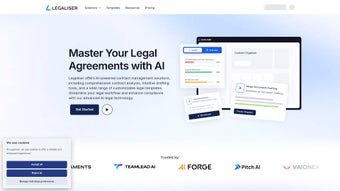

Download Legaliser – AI‑Powered Legal Document Processing, Contract Analyzer & Drafting Tool
Overview
Legaliser is an AI‑driven web application built to demystify the world of legal contracts for businesses of every size and for individual users who need a reliable, fast, and secure way to handle legal paperwork. In today’s fast‑paced market, small‑to‑medium businesses, startups, large enterprises, and even freelancers often struggle with the time‑consuming task of reviewing contracts, spotting risky clauses, and ensuring that agreements are balanced and compliant. Legaliser tackles these challenges head‑on by offering instant contract insights, automated risk analysis, and anomaly detection—all from a cloud‑based interface that requires no installation on the user’s device.
The platform’s core mission is to make legal comprehension accessible without the need for an in‑house counsel team. By uploading a document, users receive a detailed breakdown of key terms, fairness scores, and suggested revisions that highlight unbalanced obligations. The AI engine draws from a massive repository of legal precedents, regulatory guidelines, and industry‑specific standards, providing context‑aware recommendations that go beyond simple keyword matching.
This means that entrepreneurs can negotiate better deals, compliance officers can flag potential exposure early, and individuals can feel confident that the contracts they sign protect their interests.
Legaliser also supports the entire contract lifecycle. From drafting new agreements with smart templates to generating comprehensive reports for board meetings, the tool streamlines workflow and reduces reliance on costly external legal services.
Multiple pricing tiers, including a free trial and premium plans with dedicated support, ensure that the solution scales with the user’s needs. Whether you’re a founder drafting a seed‑round term sheet, a procurement manager reviewing supplier agreements, or a homeowner evaluating a lease, Legaliser delivers a secure, intuitive, and up‑to‑date experience that turns complex legal language into clear, actionable insight.
Key Features
- Instant Contract Insights: Upload a PDF, Word, or plain‑text contract and receive a summarized view of obligations, rights, and timelines within seconds.
- AI‑Powered Risk Analysis: The engine evaluates clauses against a risk matrix, flagging high‑risk language such as unlimited liability, non‑compete restrictions, and termination penalties.
- Anomaly Detection & Fairness Scoring: Detects unbalanced clauses, hidden fees, or deviations from industry‑standard terms, assigning a fairness score to help users negotiate better.
- Smart Drafting Templates: Library of pre‑approved templates for NDAs, service agreements, employment contracts, and more, customizable with dynamic fields.
- Version Control & Collaboration: Teams can comment, suggest edits, and track changes in real time, ensuring every stakeholder stays aligned.
- Comprehensive Reporting: Export detailed analysis reports in PDF or CSV format for audit trails, board presentations, or legal reviews.
- Secure Cloud Storage: All documents are encrypted at rest and in transit, complying with GDPR, CCPA, and ISO‑27001 standards.
- Multi‑Language Support: AI models trained for English, Spanish, French, and German contracts, expanding global usability.
- Integration Capabilities: Connects with popular tools like Slack, Microsoft Teams, Zapier, and CRM platforms for automated workflow triggers.
- Dedicated Support Plans: From community forums on the free tier to 24/7 phone support for enterprise customers, assistance scales with your subscription.
Each feature is engineered to reduce manual effort while preserving accuracy. For example, the risk analysis module blends natural language processing (NLP) with a proprietary legal ontology, enabling it to differentiate between standard boilerplate language and clauses that could expose a business to undue liability. The fairness scoring system aggregates data from thousands of contracts across sectors, delivering a comparative metric that is both transparent and actionable.
The smart drafting templates are continuously updated by legal experts, ensuring that users always start from a compliant baseline. Moreover, the version‑control system captures a full audit trail, making it simple to revert to earlier drafts or prove compliance during an external audit. By integrating with existing collaboration platforms, Legaliser fits seamlessly into everyday workflows, eliminating the need for separate, siloed applications and encouraging cross‑functional teams to stay on the same page throughout the contract lifecycle.
In addition to the core capabilities, Legaliser offers advanced analytics that track the evolution of contract language across an organization. These insights can highlight systemic risk trends, such as a recurring preference for one‑sided indemnity clauses, and suggest organization‑wide policy updates. The platform’s API also enables developers to embed contract analysis directly into custom portals or internal tools, extending the AI’s reach beyond the web UI. Whether you’re a solo entrepreneur needing a quick risk check or a multinational corporation seeking enterprise‑grade governance, Legaliser’s feature set scales to meet the demand while maintaining a user‑friendly experience.
Installation & Usage Instructions
Getting Started – No Download Required
Legaliser is a web‑based application, which means you can access it from any modern browser without downloading additional software. To begin, visit the official website and click the “Start Free Trial” button. You’ll be prompted to create an account using an email address or single‑sign‑on (SSO) via Google or Microsoft Azure. After confirming your email, you’ll land on the dashboard where the “Upload Contract” button is prominently displayed.
Step‑by‑Step Workflow
- Upload Your Document: Drag and drop a PDF, DOCX, or TXT file into the upload zone. The platform supports files up to 50 MB per upload.
- Choose an Analysis Mode: Select “Quick Scan” for a high‑level overview, or “Deep Dive” for a thorough clause‑by‑clause examination.
- Review AI Findings: Once processing completes (typically under 30 seconds for a standard contract), a sidebar displays highlighted risks, fairness scores, and suggested revisions.
- Collaborate & Edit: Invite teammates by entering their email addresses. They can add comments, suggest edits, or approve changes directly within the platform.
- Export or Save: Generate a PDF report that includes the original contract, AI annotations, and a summary of recommendations. You can also save the annotated contract back to the cloud for future reference.
- Integrate with Existing Tools: Use the “Connect” menu to link Legaliser with Slack, Teams, or your preferred CRM. For example, you can set up a Zapier workflow that automatically creates a task in Asana whenever a high‑risk clause is detected.
The user interface follows a clean, minimalist design philosophy: the left panel shows the document, while the right panel provides actionable insights. All interactions are logged, allowing you to revert to previous versions if needed. For enterprise users, the admin console offers additional controls such as role‑based permissions, single‑sign‑on configuration, and audit‑log export.
Tips for Maximizing Value
- Use the built‑in template library for common agreements to reduce drafting time.
- Run a “Fairness Check” after any major amendment to ensure new clauses don’t introduce hidden risk.
- Leverage the integration with your document management system (e.g., SharePoint) to keep contracts centralized.
- Schedule regular “Compliance Reviews” using the automated reporting feature to stay ahead of regulatory changes.
- Explore custom risk matrices if your industry has unique exposure criteria; Legaliser’s API makes this straightforward.
Compatibility & System Requirements
Because Legaliser is a cloud‑native SaaS solution, it works across all major operating systems and devices. The only requirement is a stable internet connection and a modern browser that supports HTML5, CSS3, and JavaScript ES6. Officially supported browsers include:
- Google Chrome (latest two versions)
- Mozilla Firefox (latest two versions)
- Microsoft Edge (Chromium‑based)
- Apple Safari (macOS 12+ and iOS 14+)
Mobile users can access Legaliser via responsive web design on smartphones and tablets. The interface automatically adapts to screen size, ensuring that document previews and AI insights remain readable on smaller devices. While there is no native desktop or mobile app, the web platform provides the same feature set as the desktop experience, and it can be added to a device’s home screen for quick launch, mimicking an app‑like experience.
Security and compliance are baked into the architecture. All data is transmitted over TLS 1.3, and at rest, documents are encrypted using AES‑256. For organizations with strict data‑residency requirements, Legaliser offers regional data centers in the United States, European Union, and Asia‑Pacific. Enterprise plans include SSO integration (SAML 2.0, OpenID Connect), SCIM provisioning, and detailed audit logs that satisfy ISO 27001 and SOC 2 Type II certifications.
Support channels vary by subscription tier. Free and basic plans receive community‑forum assistance and a knowledge base. Professional and Enterprise plans get priority email support, live chat, and optional phone support with a dedicated account manager. For critical incidents, the Enterprise SLA guarantees a response within 30 minutes and resolution within four business hours. Additionally, the platform provides 24/7 system status monitoring and automated email alerts for any service interruptions, ensuring users are always informed about system health.
Pros and Cons
Pros
- AI delivers rapid, accurate risk assessments, reducing reliance on expensive legal counsel.
- Cloud‑based with no local installation—accessible from any device with a browser.
- Comprehensive template library accelerates contract drafting.
- Fairness scoring gives a quantifiable measure of contract balance.
- Robust security (TLS 1.3, AES‑256, GDPR/CCPA compliance) protects sensitive data.
- Seamless integration with collaboration tools and workflow automations.
- Scalable pricing fits startups to large enterprises.
- Multi‑language support expands usability across global teams.
- Version control and audit logs simplify compliance reporting.
Cons
- AI recommendations are based on existing data sets and may miss jurisdiction‑specific nuances.
- Large contracts (>200 pages) may take longer to process and could require a premium plan.
- No offline desktop or mobile app—requires internet connectivity.
- Customization of risk matrices requires technical knowledge or API usage.
- Advanced analytics are only available on higher‑tier subscriptions.
- Initial learning curve for users unfamiliar with AI‑driven legal tools.
Frequently Asked Questions
How does Legaliser ensure the confidentiality of my contracts?
All uploads are encrypted in transit with TLS 1.3 and stored encrypted at rest using AES‑256. Regional data centers allow you to keep files within specific jurisdictions, and strict access controls prevent unauthorized viewing.
Can I use Legaliser on a Mac or Linux machine?
Yes. Because Legaliser runs entirely in the browser, it works on macOS, Windows, Linux, as well as iOS and Android devices, provided you use one of the supported browsers listed above.
What types of documents can Legaliser analyze?
The platform accepts PDF, Microsoft Word (DOC/DOCX), plain‑text (TXT) and, through the API, can also process XML‑based contracts. Future updates will add support for additional formats such as ODT and scanned images with OCR integration.
Is there a limit to the number of contracts I can analyze on the free tier?
The free tier includes a monthly quota of 10 contract analyses. If you exceed this limit, you can either wait until the next billing cycle or upgrade to a paid plan for unlimited usage.
How does the fairness score work?
The fairness score compares each clause against a benchmark derived from millions of contracts across industries. It evaluates indemnity, liability, termination, and payment terms, assigning a score from 0 (highly one‑sided) to 100 (perfectly balanced). The score is accompanied by actionable suggestions to improve equity.
Conclusion & Call to Action
Legaliser brings cutting‑edge AI directly to the contract management process, giving teams the confidence to negotiate, draft, and store agreements with unprecedented speed and security. By removing the need for bulky installations and offering a transparent fairness score, it empowers both legal professionals and business leaders to make smarter decisions without waiting for external counsel. If you’re ready to eliminate manual contract reviews and gain real‑time risk visibility, start your free trial today and experience how Legaliser can transform your organization’s legal workflow.
Download Legaliser now and enjoy a risk‑free trial, secure cloud processing, and seamless integration across all your favorite platforms. Take the first step toward smarter, safer contract management.



.png)



